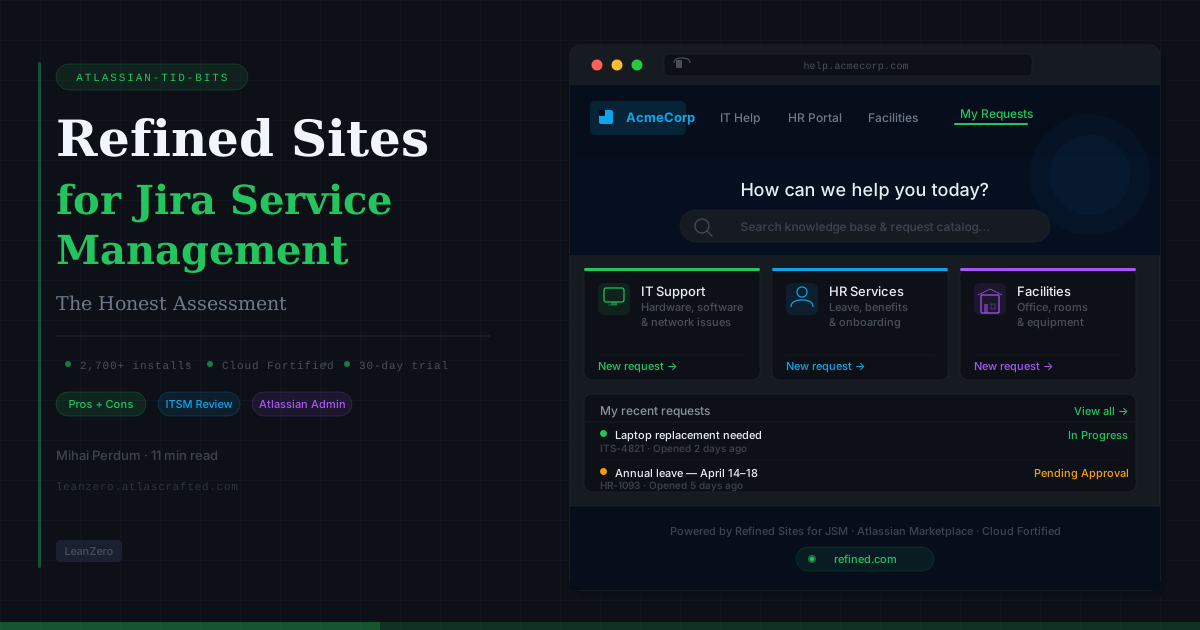
Refined Sites for Jira Service Management: The Honest Assessment
Gabriela Perdum
Author
11 min readMarch 31, 2026
When an employee needs to report a broken laptop, submit a leave request, or raise an IT incident, the last thing they should be thinking about is how to navigate the tool. They should be thinking about their problem. The moment your service portal becomes the obstacle — confusing layout, corporate-grey aesthetic, request forms buried three clicks deep — you've already lost the self-service argument before a single ticket is filed.
Jira Service Management is technically capable. The backend — queues, SLAs, automations, approvals — is genuinely powerful once configured. But the portal that requesters actually see? It ships with a logo field, an accent color picker, and a banner image slot. That's it. For organizations running enterprise ITSM operations or customer-facing support portals, "we customized the banner" isn't a branding strategy — it's a concession.
Refined Sites for Jira Service Management exists to fix the front end that JSM ships with. It puts a professional, branded, drag-and-drop-built portal in front of your requesters while leaving the JSM backend exactly where it is. The pitch is compelling. The execution is largely solid. The trade-offs are real and worth mapping before you commit.
This is that map.
Why This Matters
The service portal is not a cosmetic concern. It's the primary touchpoint between your support function and every person it serves — whether that's 500 internal employees, 5,000 customers, or both. How that portal is structured determines whether users self-serve or file tickets for things they could have resolved on their own. It determines whether they trust the system or route around it. It shapes the first impression of your IT or support function every single time someone has a problem.
JSM's native portal limitations are well-documented: preset themes with no layout control, no drag-and-drop content builder, no multi-project navigation hierarchy, and limited accessibility optimization. The gap between what enterprise organizations want from a support portal and what JSM provides out of the box is wide enough that a dedicated app category exists specifically to fill it.
Refined Sites is the dominant option in that category. Understanding exactly where it fills the gap — and where the gap persists — is the actual work of evaluation.
The core mechanic is the same as Refined Sites for Confluence: a presentation layer over your existing Atlassian instance. In JSM's case, Refined wraps your service desk projects in a custom-built portal — with your branding, your navigation structure, your content layout — while the underlying JSM projects, queues, SLAs, and automations continue operating exactly as configured.
Requesters interact with the Refined-built portal. Agents work in native JSM. The two sides don't need to look anything alike, and for most well-implemented deployments, they don't.
The Three Portals Refined Is Built For
The use cases break into three distinct deployment patterns, each with different design considerations:
IT service desks — the most common deployment. A branded internal portal that organizes your IT service catalog, request types, and knowledge base links into a coherent, navigable structure. Organizations running dozens of request types benefit particularly from Refined's ability to surface the right forms to the right users rather than presenting a flat list of everything JSM can do.
HR service desks — increasingly common as ITSM tooling expands beyond IT. HR teams running onboarding requests, leave management, benefits queries, and policy distribution through JSM use Refined to create a portal that looks and feels appropriate for HR — which has different design expectations than IT. A portal asking employees to submit performance concerns or parental leave applications needs a different tone than one asking them to report a network outage.
External customer support portals — arguably where the JSM-specific features in Refined matter most. When your customers need to reach your support team, they're arriving from outside your Atlassian instance. Refined's "Support" access mode — which allows JSM customers to log in without full Atlassian licenses — is the feature that makes this genuinely viable. This is categorically different from the Confluence product, where external access forces a choice between anonymous access or expensive guest licenses.
Feature Set Worth Knowing
Beyond the visual layer, several features distinguish Refined for JSM from a simple theming tool:
Request Type module — select exactly which JSM request forms appear on each page. Combine with view permissions to show IT requests to IT-relevant users, HR requests to employees in HR flows, and customer-facing request types only to your customers. This granular control over the request catalog is the single most impactful feature for organizations with complex, multi-team JSM deployments.
My Requests module — a personalized ticket-tracking panel that lets requesters see the status of their open requests without navigating into native JSM. For external customers especially, this replaces the frustrating experience of "submit and forget" with visible, continuous tracking from inside the same portal they submitted from.
Confluence knowledge base integration — surface knowledge base articles from Confluence directly alongside JSM request forms. The practical effect: a user lands on the IT portal, searches for "VPN not working," finds a Confluence article, resolves the issue themselves, and never files a ticket. When this works well, it's the most direct route to reduced ticket volume available in the Atlassian ecosystem.
Page-embedded requests — embed JSM request type links directly onto Confluence pages. An employee reading the onboarding policy finds a "Submit an onboarding question" button inline. No context switch, no navigation required. This only works when you have both Refined for JSM and Refined for Confluence deployed, but the combination is genuinely well-designed.
Three site access modes — Public (anyone, no login), Private (logged-in Atlassian users), Support (logged-in JSM customers). The Support mode is the critical one: it authenticates via JSM's own customer account system, meaning external users who have submitted a ticket before can log in without Atlassian licenses. This makes Refined for JSM meaningfully more viable for external-facing portals than Refined for Confluence.
Promoted search results — pre-configure which pages surface first for designated search terms. For support portals where certain knowledge base articles resolve the majority of tickets, this is a meaningful lever. Pin the password reset guide to "password" searches. Pin the VPN troubleshooting article to "VPN." Reduce the tickets that should have been self-service.
Data residency — US or EU hosting at no extra charge. For organizations with GDPR obligations or data sovereignty requirements, this is a non-trivial baseline feature.
Admin delegation — grant site admin rights to licensed JSM users without needing to make them Atlassian admins. For distributed IT teams or HR operations managers who need to manage their own portal without touching the core Atlassian configuration, this is operationally important.
The Pros: What You Actually Gain
The Portal Gap Gets Closed
JSM's native portal is structurally limited in ways that go beyond aesthetics. No multi-project navigation hierarchy. No content landing pages. No ability to group request types into a meaningful structure that reflects how users actually think about their problems rather than how they're organized in your project configuration.
Refined closes all of those gaps. The ability to build a landing page that says "Need IT help? → Hardware | Software | Access | Network" and route users to the right request form without them needing to understand your JSM project structure — that's the gap that most organizations with more than 15–20 request types desperately need filled. Once it's filled, ticket quality tends to improve because users are submitting to the right queue, and self-service rates tend to improve because the path to a knowledge base article is no longer buried.
External Portals Become Credible
For organizations running customer-facing support through JSM, the native portal's branding limitations are a genuine commercial problem. Customers arriving at your support portal are forming an impression of your company. A generic JSM portal with a logo slapped on it does not communicate the same thing as a portal that matches your product's visual language, organizes your support catalog logically, and provides a ticket-tracking experience that doesn't require a separate login.
Refined's Support access mode — customers authenticating with JSM customer accounts rather than Atlassian licenses — means you're not paying per-seat for every customer who needs to check their ticket status. That's the architectural advantage this product has over Refined for Confluence for external use cases: the permission model was designed with external customers in mind.
Multi-Project Navigation at Scale
JSM's native portal shows a list of projects. That's it. For organizations with 10 projects, it's fine. For organizations running Klarna-scale deployments — 50+ portals across 3,000 employees — it's unworkable without an organizational layer. Refined provides that layer through its hierarchical navigation structure, which lets you organize projects, request types, and external links into a navigation menu that makes sense for users rather than for Atlassian project administrators.
Organizations that have hit the point where their support catalog has outgrown the native portal's ability to present it coherently will find this is the most immediate return on investment.
The Confluence Integration Creates a Genuine Self-Service Loop
When both Refined products are deployed and configured correctly — Refined for Confluence serving the knowledge base, Refined for JSM serving the support portal, with cross-linking between them — you create a self-service loop that native JSM and Confluence integration doesn't achieve on its own. Knowledge base articles become directly actionable surfaces. Request forms become visible from inside documentation. The user journey from "I have a problem" to either "I found the answer" or "I submitted a ticket" becomes coherent rather than requiring the user to navigate between two separate systems that happen to be integrated.
Whether this justifies the cost of two Refined products depends entirely on how much ticket deflection you believe is achievable in your environment — but the mechanism is real and well-implemented.
The Cons: What Stays Broken
Refined Only Fixes the Requester Side
This is the most important constraint to understand clearly. Refined Sites for JSM improves the experience of the people filing requests. It has zero impact on the agent experience — queues, issue views, SLA dashboards, automation rules, approval workflows — all of that remains exactly as native JSM presents it to your team.
This is the right architectural boundary. You shouldn't want a third-party app modifying your agent workflows. But it means that if your JSM problems extend beyond portal UX — complex queue management, SLA configuration issues, automation failures, reporting gaps — Refined doesn't address any of that. An organization that believes Refined will fix their ITSM operations is going to be disappointed. An organization that understands they have good backend operations and a poor user-facing portal is the appropriate buyer.
No Omnichannel, No Conversational Support
JSM is a ticket-and-portal system. Refined makes the portal better. Neither provides Slack-native ticketing, Teams integration, live chat, phone support, or email-to-ticket workflows that match dedicated customer support platforms like Zendesk or Freshdesk.
If your external support requirements include meeting customers where they are — chat, messaging apps, social channels — Refined for JSM doesn't bridge that gap. It makes your web portal better. For organizations whose support strategy relies on omnichannel customer interaction rather than portal-first workflows, that distinction matters enough to evaluate purpose-built customer support platforms before committing to an enhanced JSM portal.
Analytics Require the Advanced Edition
The same blind spot that exists in Refined for Confluence exists here: portal views served through Refined don't register in JSM's native analytics. If your reporting workflows measure portal engagement through JSM's built-in dashboards, you'll either need to bolt on Google Analytics, accept the blind spot, or budget for the Advanced edition's built-in analytics capabilities.
For external-facing portals especially — where understanding how customers are navigating your support site, which search terms aren't finding answers, and which knowledge base articles are reducing ticket volume — analytics aren't optional. They're the feedback loop that tells you whether the portal is working. Build that cost into your evaluation.
The Pricing Model Has the Same Structural Problem
Refined for JSM prices on JSM agent count — not on the number of Refined admins, not on portal visitor volume, not on the number of sites you run. For organizations where a large proportion of their Confluence users are also JSM agents, the pricing math lands differently than the Confluence product (which prices on total Atlassian user count). But for organizations running a small agent team serving a large requester population, the per-agent pricing is more favorable.
The Advanced edition — which you need for custom domains, multiple published sites, AI-powered search, and deep-dive analytics — sits above the Standard tier. For organizations that want a production-ready external customer portal (which practically requires a custom domain) and more than one site (an IT portal and an HR portal, for example), Advanced is the operational tier. Price that tier against your JSM agent count before signing a trial.
Zero Marketplace Reviews
Refined Sites for JSM Cloud carries the same anomaly as the Confluence product: 2,700+ installs, Cloud Fortified status, and zero reviews on the Marketplace listing. The vendor attributes this to a listing migration, and the 3.6/4 rating cited on refined.com reflects legacy data from earlier listings. Independent third-party review coverage is thin. Community signal from the Atlassian forum is predominantly positive for the portal UX improvement but sparse compared to what you'd expect for a product of this install base.
This doesn't mean the product doesn't work — the customer references (Klarna, Canadian Red Cross, MacEwan University, 55 Degrees) are verifiable and their described outcomes are specific enough to be credible. But it means your evaluation should include direct contact with reference customers rather than relying on a review corpus that doesn't exist.
Refined Sites for JSM vs. The Alternatives
The competitive landscape depends entirely on what problem you're trying to solve.
Dimension
Refined Sites for JSM
Native JSM portal
Zendesk / Freshdesk
Portal branding
✅ Full control
⚠️ Logo + color only
✅ Full control
Multi-project navigation
✅ Hierarchical
❌ Flat project list
N/A
Confluence KB integration
✅ Native (w/ Confluence product)
⚠️ Basic
⚠️ Requires integration
My Requests module
✅
✅ (basic)
✅
External customer auth
✅ JSM customer accounts
✅ JSM customer accounts
✅ Native
Live chat / omnichannel
❌
❌
✅ Core feature
Code-free setup
✅
✅
✅
Requires JSM
✅ (dependency)
✅
❌
Pricing model
Per JSM agent
Included in JSM
Per agent
Advanced analytics
✅ Advanced edition
⚠️ Basic JSM reporting
✅ Included
11 rows × 4 columns
The honest framing: Refined for JSM is the right choice when you're committed to JSM as your ITSM backend and you need the portal to stop looking like it was configured by an administrator rather than designed for human beings. It is not a replacement for purpose-built customer support platforms if omnichannel, conversational support, or a CRM-native support model is part of your strategy.
The decision tree is cleaner here than for the Confluence product: if you're on JSM and your portal is failing your users, Refined addresses that directly. If you're evaluating whether JSM is the right ITSM platform at all, Refined doesn't change the underlying platform calculus.
The Gaps to Plan For
Three things warrant explicit discussion before you start the trial:
Scope the portal problem first. Refined fixes the portal. Before purchasing, document specifically which portal problems you're solving — navigation complexity, branding gap, knowledge base disconnection, multi-project chaos — and confirm those are portal problems rather than backend configuration problems. If your ticket queue is mismanaged, your SLAs are wrong, or your automation rules are broken, that's a different conversation.
Decide on the Confluence integration upfront. The self-service loop (KB articles + embedded request forms + unified search) requires both Refined products and deliberate configuration. If you're evaluating Refined for JSM standalone, you're evaluating a significantly reduced version of the product's value proposition. Model the combined cost of both products against your projected ticket deflection before evaluating either in isolation.
Run the Advanced tier math explicitly. Custom domains are Advanced. Unlimited published sites are Advanced. Deep-dive analytics are Advanced. If your use case is a single internal IT portal on a Refined subdomain with no analytics requirements, Standard may be sufficient. If your use case is a branded external customer portal with analytics and a separate HR portal, you're in Advanced — and the pricing reflects that. Know which tier fits before starting the trial clock.
The Bottom Line
Refined Sites for JSM does one thing well: it makes Jira Service Management's portal look and behave like something that was designed for the people using it rather than the people administering it. That's not a small thing. In environments where self-service rates are low because users don't trust or can't navigate the portal, fixing the portal can measurably reduce ticket volume — and that's a business outcome, not just a UX improvement.
The three conditions where the investment case is clearest:
Your JSM portal is visually generic or navigationally complex enough that users bypass it in favor of direct emails or Slack messages to your IT or support team
You run external customer support through JSM and need a portal that matches your product's brand without requiring full Atlassian licenses for every customer
You have multiple service desks — IT, HR, facilities, or more — that need to be organized into a coherent, navigable portal structure rather than a flat project list
The three conditions where you should pause and evaluate first:
Your primary support problem is backend — agent workflow, SLA configuration, automation — rather than portal UX
Your customers expect omnichannel support (chat, Teams, Slack, phone) rather than portal-first workflows
You're evaluating JSM itself as the right ITSM platform, not just whether its portal needs improvement
Run the trial. The setup is fast enough — Refined's own templates will have you with a functional demo portal in an afternoon. But test it with real users, real request types, and real navigation scenarios. The gap between "impressive in the admin builder" and "actually reduces the friction that makes employees avoid your service desk" is where the evaluation should happen.
JSM's portal problem is a first-impressions problem — and first impressions in support interactions carry more weight than most ITSM administrators acknowledge. When users arrive at a help desk expecting the equivalent of a consumer app and find a configuration screen with a logo on it, they don't update their mental model of the tool. They update their mental model of the IT team. Refined Sites doesn't fix your ITSM. It fixes what people see before they decide whether your ITSM is worth using.