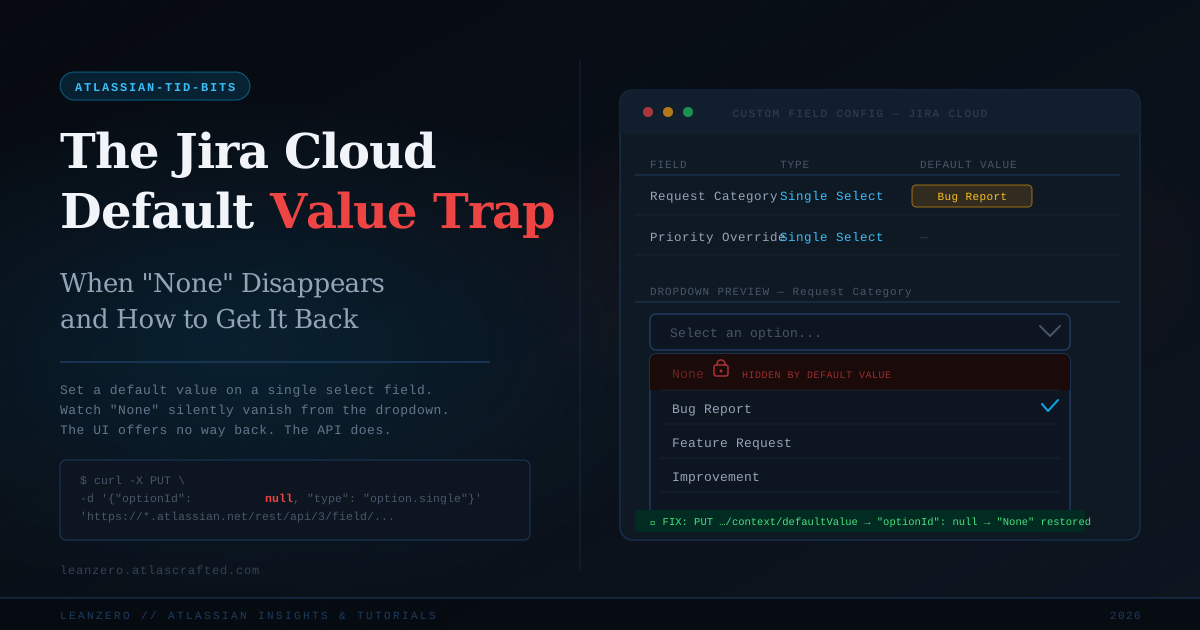
The Jira Cloud Default Value Trap: When "None" Disappears and How to Get It Back
Gabriela Perdum
Author
5 min readMarch 11, 2026
You're doing what a responsible Jira Cloud admin does. A team asks for a single select custom field — let's call it "Request Category" — and they want a sensible default so users don't leave it blank every time. You go into the field configuration, set the default, save it, and feel good about yourself. Job done.
Then three weeks later, a user opens a ticket to tell you they can't clear the field. They need to leave "Request Category" empty on some issues — it genuinely doesn't apply — but the option to do so is gone. The dropdown that used to show "None" at the top now starts directly with your first custom option. You check it yourself. They're right. "None" has disappeared and there is no button, no toggle, no checkbox anywhere in the Jira Cloud admin interface that brings it back. The only way you set that default was through the UI, but the UI offers you absolutely no way to undo just that part. You can change the default to a different option — but you cannot remove the default entirely without reaching for the API.
This is one of those Jira Cloud admin moments that makes you question your choices in life.
What's Actually Happening Here
"None" in a Jira select field is not an option. That's the thing most admins don't immediately realize — and once you understand it, the behavior makes a frustrating kind of sense.
When you look at the data model, a single select custom field stores either an option ID — a reference to one of the values you configured — or it stores nothing at all. That "nothing" state is what surfaces in the UI as "None." There's no option with a label of "None" sitting in a database somewhere waiting to be selected. It's the field's null state. It means the field has no value assigned.
When you set a default value through the admin UI, Jira's internal logic updates the field context to say: this field now has a fallback — if no value is explicitly chosen, use option ID X. The moment that fallback exists, Jira concludes that every new issue will always have a value, so surfacing the null state to end users is pointless. The dropdown stops rendering "None" because, from Jira's perspective, the field can no longer be empty. The null state still technically exists — it's just been hidden from anyone who might want to use it.
This behavior is documented in Atlassian's own issue tracker as , filed against the field type. The report states it plainly: setting a default value causes the "None" option to be removed from the selection list. Atlassian's position is that this is by design. It is not a bug they're planning to fix — it's a UX decision baked into how field defaults and null states interact. Which is fine, actually. The decision itself is defensible. What's defensible is giving admins no way to reverse it from the same interface they used to create the problem.
Let's be specific about the gap here, because this isn't a hypothetical edge case — it comes up every time an organization starts seriously configuring Jira Cloud for structured workflows.
The Jira Cloud custom field admin UI gives you two choices when managing a single select field's default:
Set a default — pick any option from your list.
Change the default — pick a different option from your list.
What it doesn't give you is "remove the default entirely." There's no "clear" button. There's no "set to None" option in the dropdown. The UI treats the absence of a default as an initial state you can only move away from, never return to. Once you've set a default, the UI's mental model is that the field always has a default — the only question is which one.
This is a real gap. If you manage fields across multiple projects with multiple contexts, you will eventually end up in a situation where a context needs its default removed — either because requirements changed, or because the original admin didn't think through the downstream consequences, or because a user legitimately needs the null state available again. The UI offers you nothing. So you go to the API.
The Fix: PUT /rest/api/3/field/{fieldId}/context/defaultValue
The Jira Cloud REST API has a dedicated endpoint for managing custom field default values, and it does exactly what the UI refuses to do — it lets you set optionId to null, which removes the default entirely and restores the "None" state in the dropdown.
You need the Administer Jira global permission. Authentication is via Basic Auth using your Atlassian account email and an API token — not your password. If you haven't generated a token yet, do that first at id.atlassian.com/manage-profile/security/api-tokens.
user@domain.com — your Atlassian account email address
your_api_token — the API token from your Atlassian account settings
contextId — the ID of the field context you're targeting (more on finding this below)
customfield_10321 — your actual custom field ID
The critical part is "optionId": null. That's the entire fix. You're not selecting "None" — you're telling Jira's API that this context no longer has a default value. Jira interprets that as: the field's null state is valid again, so put "None" back in the dropdown.
A successful request returns HTTP 204 with an empty body. No confirmation message, no payload — just silence that tells you it worked.
Finding Your Context ID and Field ID
If you don't already know your contextId, you have two ways to get it.
Option 1 — From the admin UI URL. Navigate to Jira Settings → Issues → Custom Fields, find your field, click "Contexts and default values." The context ID is embedded in the URL of the page you land on — look for something like contextId=10450 in the query string.
Option 2 — From the API. Call the GET version of the contexts endpoint:
This returns all contexts for the field, each with its id, name, and scope. Match by context name or associated project to find the one you need.
For the field ID — if you don't know it offhand, go to Settings → Issues → Custom Fields, find the field, and click "Edit." The field ID (customfield_XXXXX) appears in the page URL. You can also retrieve it via GET /rest/api/3/field and filter by name.
No optionId. No default. "None" is back in the dropdown. Your users can clear the field again.
The Workaround Some Teams Use (And Why It's the Wrong One)
Before discovering the API fix, a lot of teams solve this by creating an explicit option named "None" or "N/A" or "Unset" in their select list. On the surface it works — users can select it, the field appears empty-ish, everyone moves on.
Don't do this. You now have a fake null state coexisting with a real null state, which means your JQL queries, your automation rules, and your reporting all need to account for both. "Request Category" is EMPTY no longer tells you what you think it does. Neither does "Request Category" = "None" — because depending on when an issue was created and which admin touched the field config, those might be two completely different things. You've traded a UI inconvenience for a data consistency problem that will haunt you six months down the road when someone builds a dashboard and wonders why the numbers don't add up.
The API fix is two minutes of work. The fake option workaround is a debt you'll be paying for as long as that field exists.
The Honest Take
The gap here isn't technically complex — Atlassian clearly exposes the right lever through the REST API, and the endpoint is well-documented. The frustration is that Jira Cloud presents custom field configuration as a fully UI-managed concern right up until the moment it isn't. Admins who live in the interface don't think to reach for the API to fix something that was broken by the interface. That mental shift — from "the UI is the full surface area of administration" to "the UI is a convenience layer over an API that does more" — is genuinely one of the most important things to internalize as a Jira Cloud admin.
The more you know the REST API, the less the UI can hold you hostage.
This one is a small gotcha in isolation — a missing "clear default" button that Atlassian should have shipped. But it's representative of a broader pattern in Jira Cloud administration: the interface gets you 90% of the way there, and the last 10% requires you to talk directly to the API. That's not a complaint, it's a working reality. Build the habit early.